
Cross-sell on WhatsApp
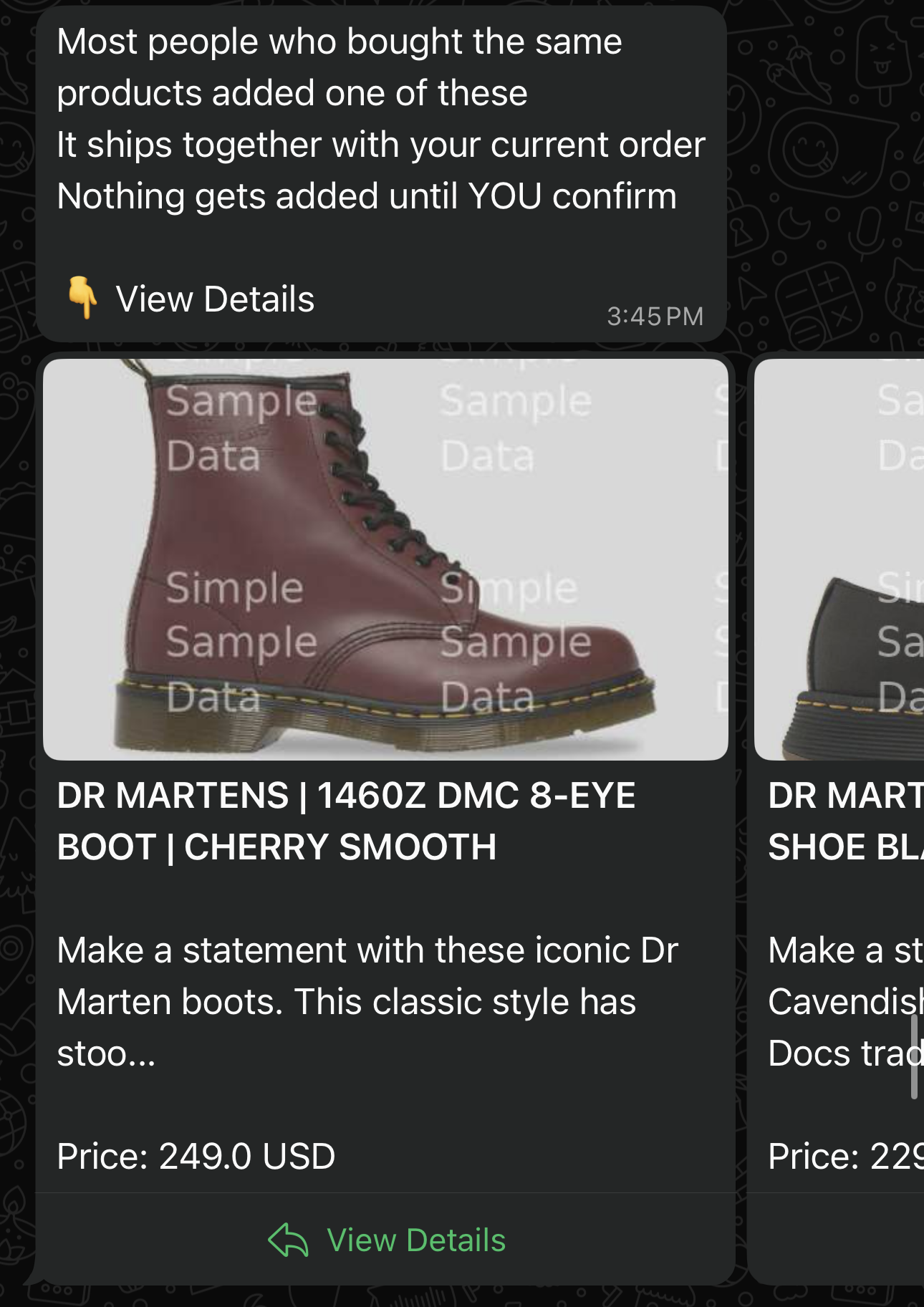
After a customer confirms their order, offer them related products on WhatsApp. They tap Add to order once and the new item joins the same shipment — no return trip to your store.
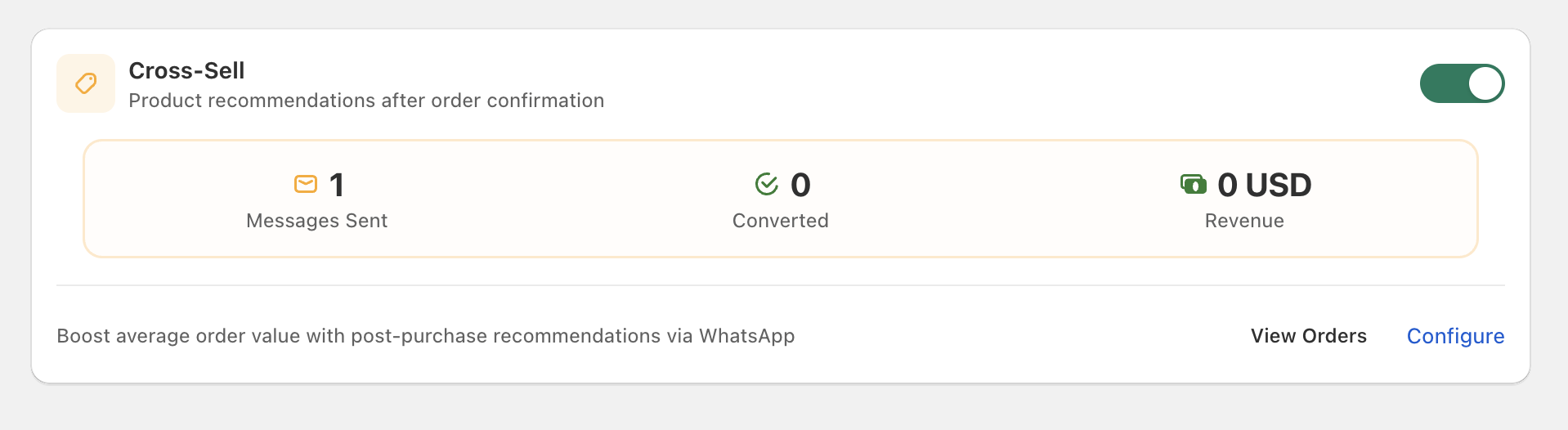
Cartsaver surfaces Cross-Sell performance as live counters, with a deep link straight into the data-source picker:
Channel — WhatsApp only
Section titled “Channel — WhatsApp only”Cross-sell messages are sent exclusively on WhatsApp via Meta’s WhatsApp Flows.
How it works
Section titled “How it works”- The customer verifies their order.
- After a short delay (Cartsaver waits about 15 minutes by default — long enough that the customer isn’t multi-tasking, short enough that the order context is still fresh), they receive a WhatsApp message with product recommendations.
- They tap Add to order inside WhatsApp.
- They pick a variant (size, colour) from a dropdown inside the WhatsApp message.
- The product is added to the original Shopify order automatically — no new order is created.
Three product-source strategies
Section titled “Three product-source strategies”You choose how Cartsaver picks which products to show:
Manual Selection
Section titled “Manual Selection”You hand-pick a specific list of products shown to every customer after order confirmation. Useful for promoting seasonal items or high-margin SKUs.
Collection
Section titled “Collection”You pick a Shopify collection and Cartsaver chooses products from it. Best for variety without manual maintenance.
Shopify Recommendations
Section titled “Shopify Recommendations”Cartsaver uses Shopify’s official product recommendations engine to surface items most relevant to the current order:
- Related — similar items. Available today.
- Complementary — items that pair with what was ordered. Coming soon.
When the source is Shopify Recommendations, Cartsaver bases its query on the first five line items in the order — beyond that, items aren’t considered for recommendations.
Up to 10 products per message
Section titled “Up to 10 products per message”The cross-sell message offers a maximum of 10 products. Any product source can include up to this cap of 10 items.
Requirements
Section titled “Requirements”- An active WhatsApp Business account.
- A Meta-approved cross-sell message template (handled by Cartsaver).
- Suggested products in stock and not already in the customer’s order.
- The original order is not yet fulfilled. Cartsaver adds the cross-sell item to the same Shopify order — once the order is marked fulfilled, the line items are locked and the cross-sell can’t go through.
Same-order edit
Section titled “Same-order edit”When the customer confirms a cross-sell, Cartsaver adds the new item(s) to the original Shopify order rather than creating a new one — simplifying fulfillment and accounting. Cartsaver adds tracking tags to each cross-sell line item so the addition is identifiable in your Shopify order detail.
How to pick your cross-sell products
Section titled “How to pick your cross-sell products”A cross-sell isn’t a second sales pitch — it’s a small, easy yes at the end of a checkout the customer has already committed to. Pick products with that in mind.
Prefer Manual selection
Section titled “Prefer Manual selection”Of the three product-source strategies, Manual gives you the most control over what gets pitched and to whom. Collection and Shopify Recommendations are convenient, but they’ll surface whatever fits the rule — including products that don’t make sense as a cross-sell. Curate the list yourself.
Don’t cross-sell your main products
Section titled “Don’t cross-sell your main products”If the customer is already buying your hero SKU, suggesting it again adds nothing. Pitching a different hero SKU is worse — you’re asking the customer to make a second big decision they didn’t sign up for. Save your main products for the main checkout. Cross-sells are for the smaller, easier wins.
Keep cross-sell prices low
Section titled “Keep cross-sell prices low”The customer is finishing a checkout, not starting a new one. A low-priced add-on slips in. An expensive add-on stalls the whole moment and they walk away from both the cross-sell and — sometimes — the original order. Price the cross-sell to be a no-brainer.
Pick impulse-buy items
Section titled “Pick impulse-buy items”The mental model is “want it, tap it, done” — not “should I consider this”. Choose items the customer won’t think twice about: small, useful, instantly understandable. If the decision needs research, it doesn’t belong in a cross-sell.
Go complementary, not similar
Section titled “Go complementary, not similar”If the order is for jeans, don’t cross-sell another pair of jeans. Pitch something that pairs naturally with the jeans — a basic t-shirt, a wallet, a perfume, a belt. Different category, same buyer. Complementary cross-sells feel like a helpful suggestion; similar ones feel like the store doesn’t know what the customer just bought.
Languages
Section titled “Languages”Cross-sell prompts are sent in the customer’s checkout language — Arabic, English, Hindi, or Urdu — with a fallback to your store’s default.
Cross-sell messages are free
Section titled “Cross-sell messages are free”Cross-sell messages don’t count against your plan’s WhatsApp message quota — they’re billed separately by Cartsaver. Pitch cross-sells as often as you want without burning the credits you saved for order confirmations and customer support.
Analytics
Section titled “Analytics”The Cartsaver dashboard shows messages sent, customers who added a product, revenue generated, and top-performing products per campaign.
Where to configure it
Section titled “Where to configure it”See Cross-sell sources.