
Pre-checkout OTP: Pop-up, Channels, Rules
Pre-checkout OTP is the pre-purchase verification placement. When a shopper heads to checkout, a Cartsaver pop-up on your storefront asks for their phone number or email and verifies it before they reach Shopify’s checkout. Verifying upfront stops fake COD orders at the source: a shopper without a real phone number or email never gets to place the order.
To decide whether pre-checkout is the right flow for your store, compare it with WhatsApp order confirmation and Fast Checkout in pre-checkout OTP verification for Shopify.
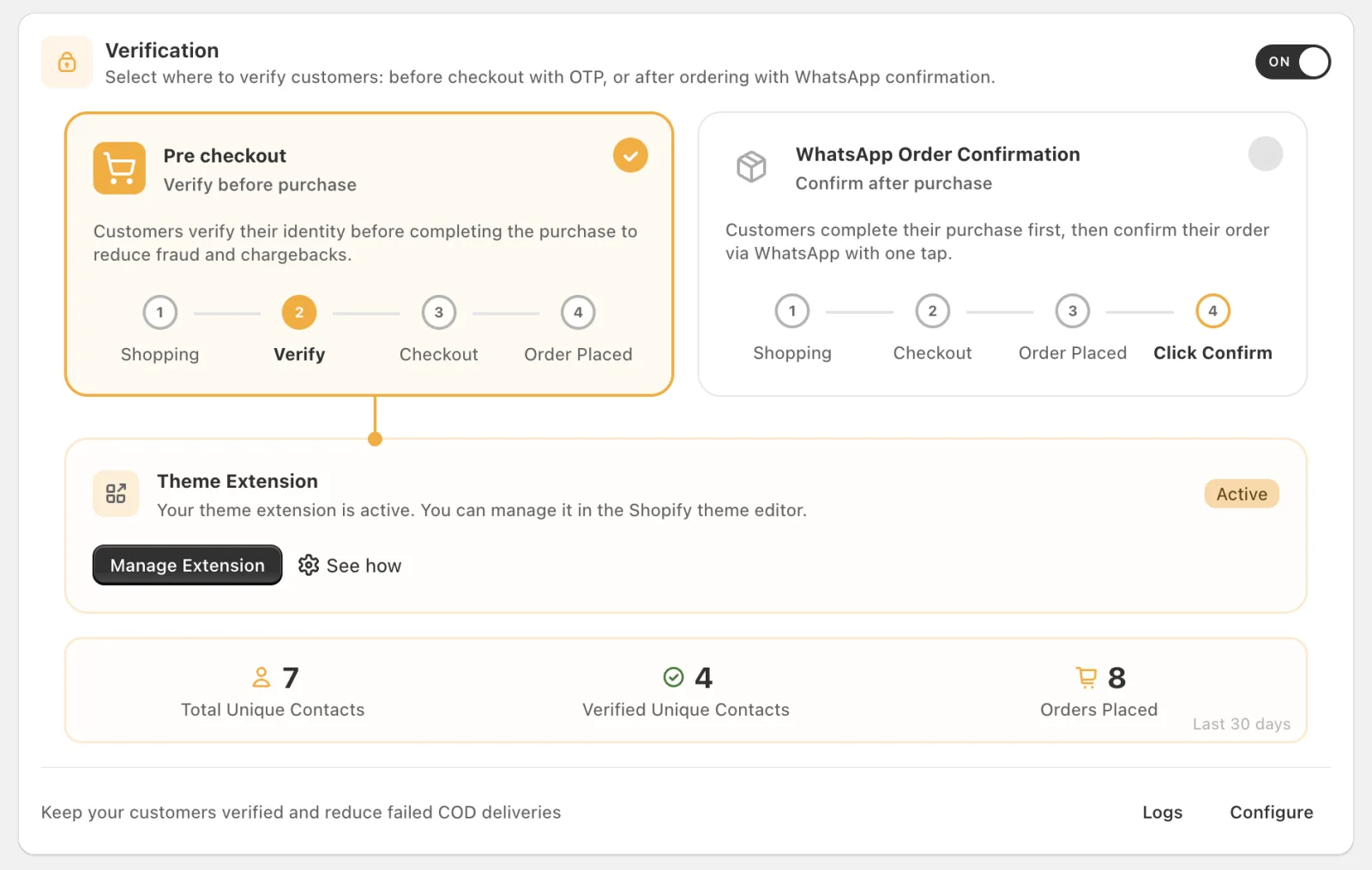
Your store has one active verification placement at a time:
- Pre-Checkout: this page (the default).
- Post-Order: WhatsApp Order Confirmation, after the order is placed.
You choose the placement in the Cartsaver admin. The screenshot below shows Pre-Checkout selected:
How does Pre-checkout OTP work?
Section titled “How does Pre-checkout OTP work?”When a shopper taps Checkout or Buy it now, a Cartsaver pop-up asks them to verify a phone number or email before they reach Shopify’s checkout. They receive a 4-digit code by SMS, email or WhatsApp, whichever you enabled, or tap a WhatsApp confirmation button, and then continue to checkout.
- The shopper taps Checkout (cart page or cart drawer) or Buy it now on your store.
- The Cartsaver pop-up opens: “Verify Contact Method to Checkout”.
- They enter their phone number or email and tap Send Code. The code goes out on the channel they pick (SMS, Email or WhatsApp, whichever you’ve enabled).
- They type the 4-digit code, or, with the WhatsApp confirmation button method, tap the confirmation button in the WhatsApp message.
- Once verified, they continue to Shopify’s checkout.
If Fast Checkout is on, this pop-up doesn’t appear. Verification happens inside the Fast Checkout form instead, using the same channels.
Verification method for WhatsApp
Section titled “Verification method for WhatsApp”For WhatsApp codes you can choose, in Settings → WhatsApp Verification Method:
- Normal OTP (the default): the customer types the code into the pop-up.
- Confirmation Template (marked Recommended): the customer taps a confirmation button in the WhatsApp message, with nothing to type.
If your WhatsApp sender can’t send normal OTP messages right now, Cartsaver uses the confirmation button instead.
Channels
Section titled “Channels”Pre-checkout OTP can send codes by SMS, Email or WhatsApp, in any combination. Pick them in Settings → Select Verification Method.
- SMS is currently only supported in Egypt through Cartsaver’s default sender. With your own SMS provider (from the Scale plan), the app shows “Supported in:” with that provider’s countries.
- WhatsApp works for all countries by default. You can limit which countries’ numbers can use WhatsApp verification.
See OTP channels for details.
Storefront app embed
Section titled “Storefront app embed”The pop-up ships in the Cartsaver Theme App Extension, so install is no-code. Switch on Checkout OTP Verification under Online Store → Themes → Customize → App embeds. See Pre-checkout blocks.
Do customers who pay online have to verify?
Section titled “Do customers who pay online have to verify?”Every shopper heading to checkout is asked to verify. To let customers who pay online skip it, turn on Online Payment Bypass. The pop-up then shows a Proceed with Online Payment button, and Restrict COD to Verified Customers switches on too, so Cash on Delivery stays available only to verified customers.
Plan limits
Section titled “Plan limits”OTP messages count against your plan’s message credits. There’s no separate cap for Pre-checkout.
Pairs with
Section titled “Pairs with”- Fast Checkout: a one-page checkout sheet that opens on your store. With the Pre-Checkout placement, its OTP step runs inside the Fast Checkout form.
- WhatsApp Order Confirmation: the Post-Order alternative for stores that would rather verify after the order is placed.
Where to configure it
Section titled “Where to configure it”See Pre-checkout blocks for the app embed setup and OTP channels for channels.