
WhatsApp Order Confirmation
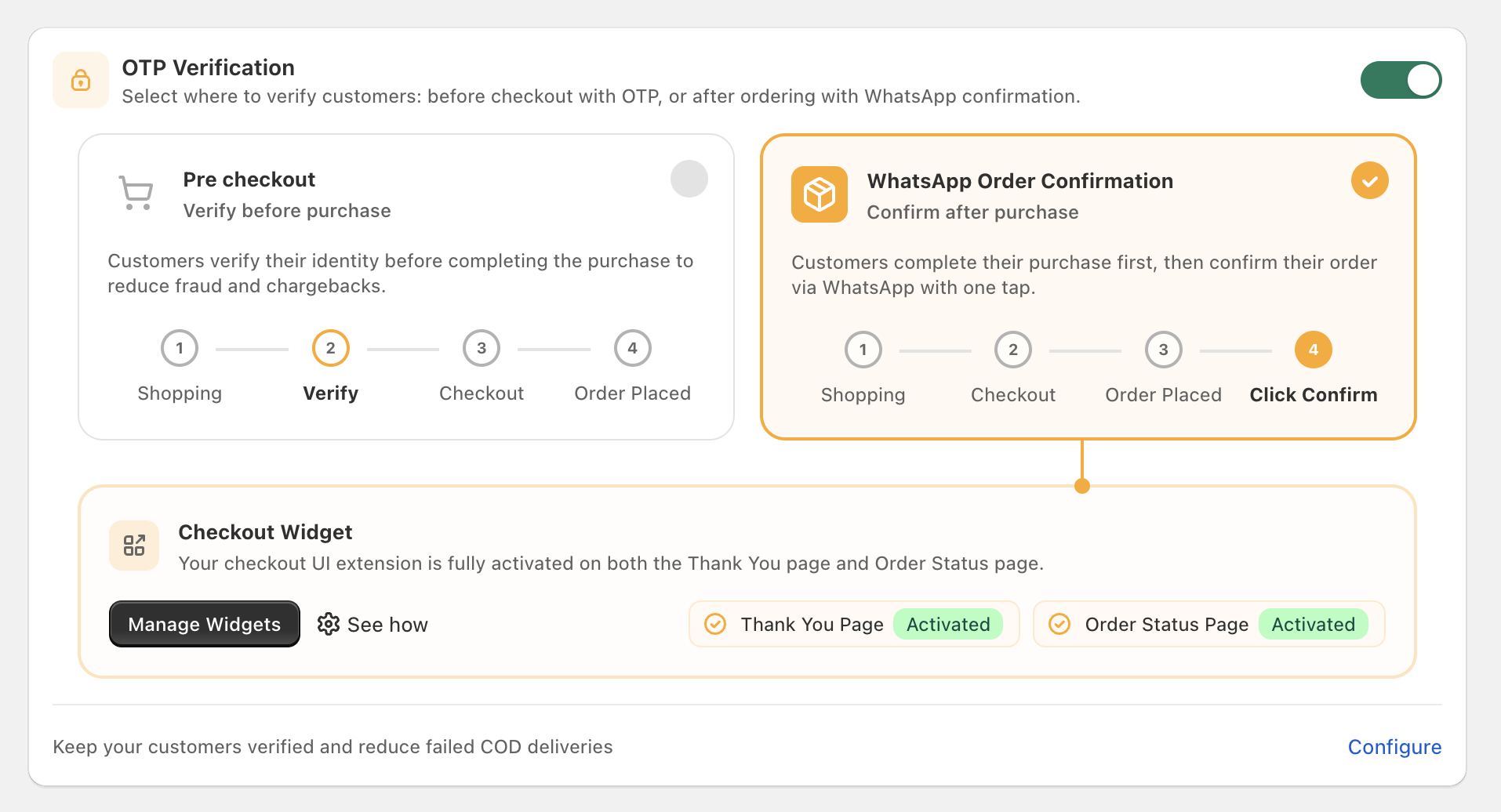
This page configures the WhatsApp Order Confirmation feature. The settings live under Cartsaver → Settings → OTP Verification, under the right-hand WhatsApp Order Confirmation option.
Pick the verification mode
Section titled “Pick the verification mode”The OTP Verification panel asks you to choose between Fast Checkout (verify the phone number before the customer reaches Shopify checkout) and WhatsApp Order Confirmation (let the customer complete checkout, then ask them to confirm via WhatsApp). Pick the right-hand option here.
Confirmation Message Delay
Section titled “Confirmation Message Delay”Choose when Cartsaver sends the WhatsApp confirmation message after the order is placed. The order is held in Shopify in an Unverified state until the message is actually sent.
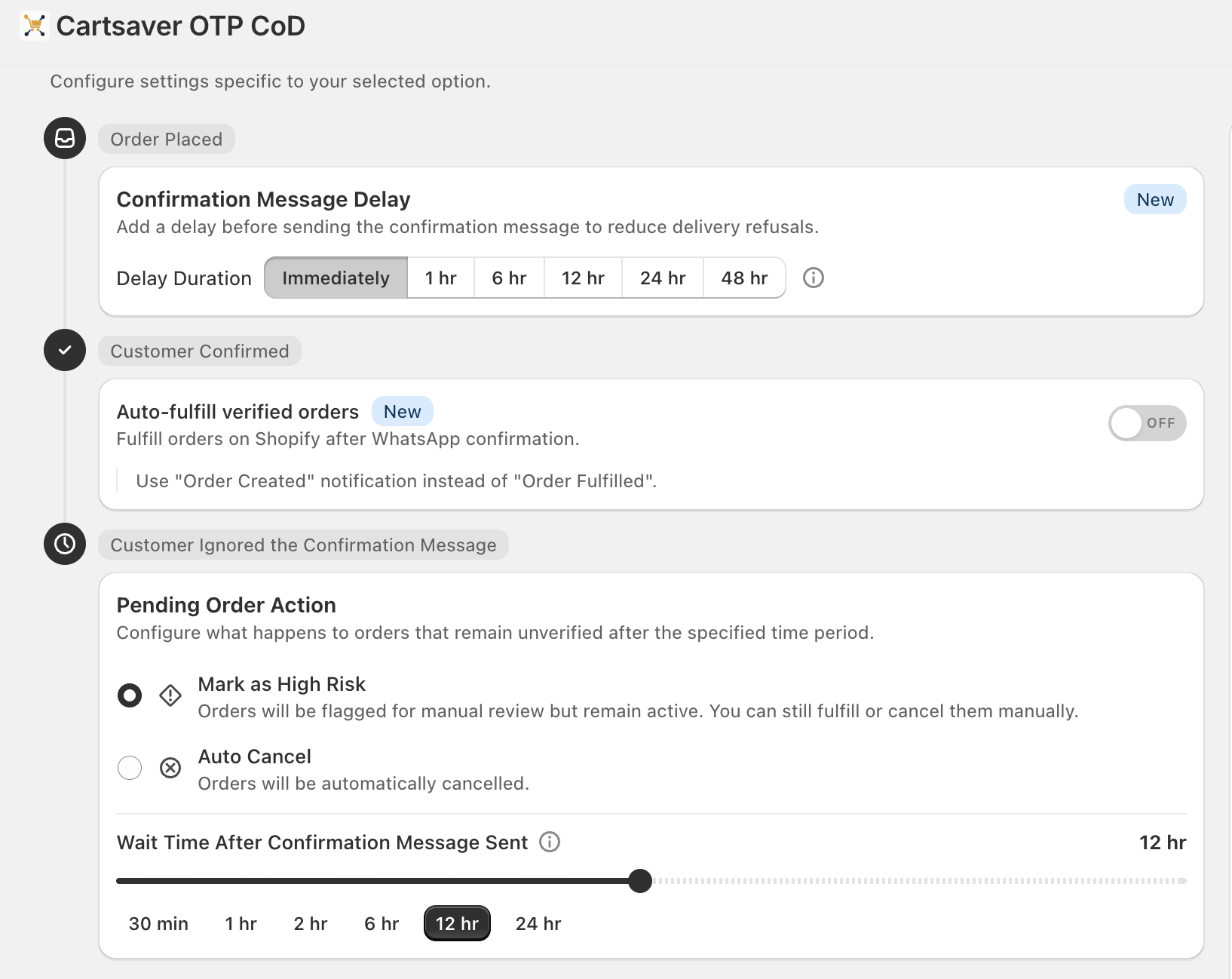
Options:
| Delay | Use case |
|---|---|
| Immediately | Same-day fulfillment. |
| 1 hr / 6 hr | Quick batched fulfillment. |
| 12 hr | End-of-day batch (default-friendly). |
| 24 hr | Next-day fulfillment cycle. |
| 48 hr | Maximum — for stores with a known regret window. |
Auto-fulfill verified orders
Section titled “Auto-fulfill verified orders”When ON, Cartsaver tells Shopify to mark the order fulfilled immediately after the customer confirms — no manual click. Off by default; pair it with the “Use Order Created notification instead of Order Fulfilled” option so the order-confirmation notification still fires in your preferred sequence.
Pending Order Action
Section titled “Pending Order Action”What happens if the customer doesn’t confirm?
- Mark as High Risk (default) — Shopify keeps the order active but you see it flagged in your admin so you can fulfill or cancel manually.
- Auto Cancel — Shopify cancels the order automatically when the wait time elapses.
The Wait Time After Confirmation Message Sent slider sets how long Cartsaver waits before taking the action: 30 min, 1 hr, 2 hr, 6 hr, 12 hr (default), or 24 hr.
Additional info
Section titled “Additional info”A small, Meta-approved blurb that appends to the bottom of the order- confirmation message and the Order Created notification — useful for delivery ETA, support hours, or a WhatsApp number.
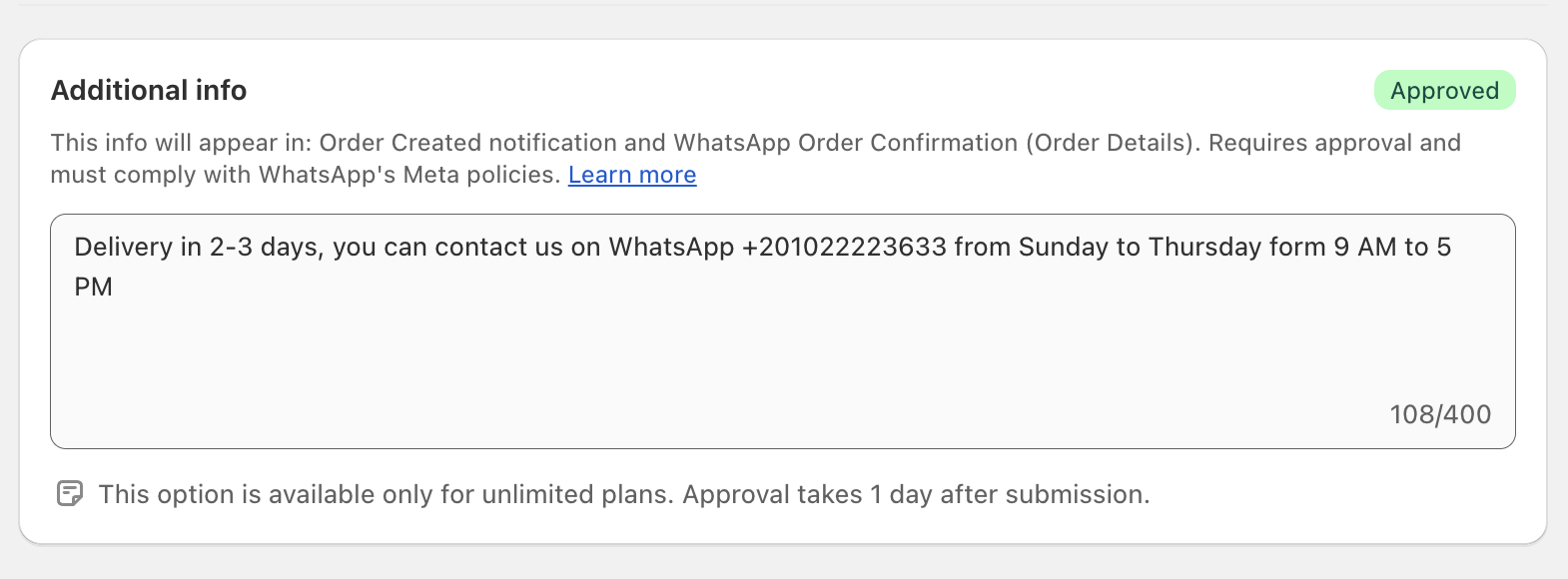
- Maximum 400 characters.
- Must comply with Meta’s policies — Cartsaver auto-submits for approval.
- Available on Unlimited and Scale plans.
Languages
Section titled “Languages”The confirmation message is sent in the customer’s checkout language — Arabic, English, Hindi, or Urdu — with a fallback to the store’s default. Cartsaver picks the right template variant automatically. Edit individual translations under Languages & translations.
Verify it works
Section titled “Verify it works”- In Settings → OTP Verification, the right-hand WhatsApp Order Confirmation card is the highlighted option, and the green master toggle in the panel header is on.
- The Confirmation Message Delay selector shows your chosen interval.
- The Checkout Widget panel below shows Thank You Page: Activated and Order Status Page: Activated.
- Place a test order. If Delay is Immediately, the WhatsApp message arrives within ~60 seconds; otherwise it arrives after the configured delay.
- Confirm the order — it moves to Verified in Cartsaver → Orders, and (if Auto-fulfill is on) the order is also marked Fulfilled in Shopify.