
Fast Checkout
Fast Checkout is a complete checkout replacement built for Cash on Delivery. Instead of routing the shopper through Shopify’s native multi-step checkout, Cartsaver hosts a single-page flow that auto-detects the customer’s country, pre-fills their city and address from device location, and preselects Cash on Delivery. Customers fill one form, tap one button, and the order lands in Shopify in seconds. Fewer fields means fewer abandoned COD carts on mobile — which is where most MENA traffic lives. Pair it with WhatsApp Order Confirmation and you get one Cartsaver-hosted checkout and one Cartsaver-managed verification, all behind a single Shopify order.
See it on mobile
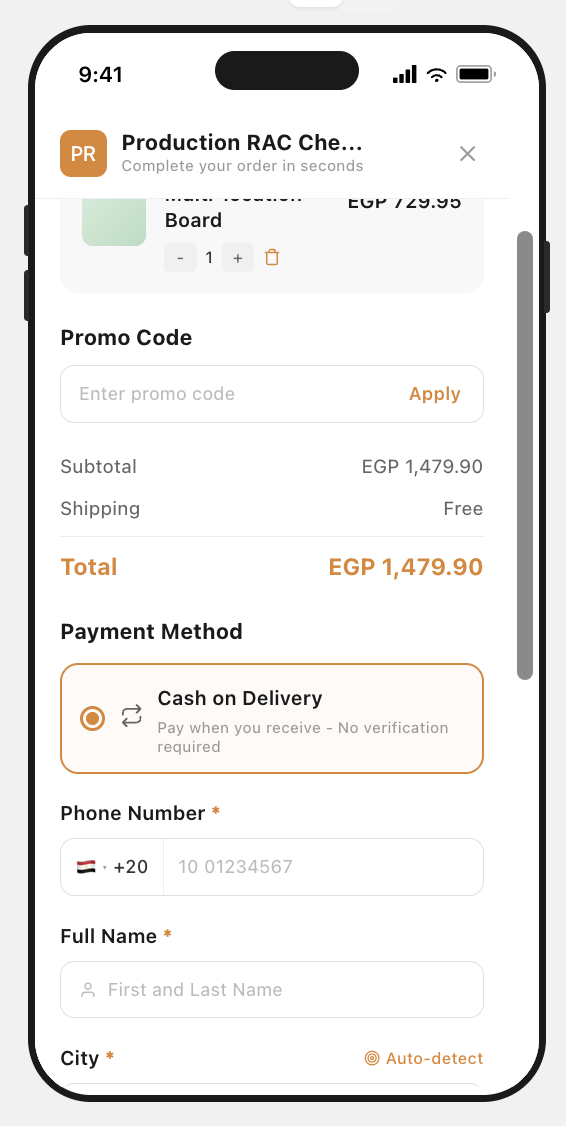
Section titled “See it on mobile”This is what a shopper sees on a phone — the full Fast Checkout page, top to bottom, on a live Cartsaver-powered store.
And on desktop
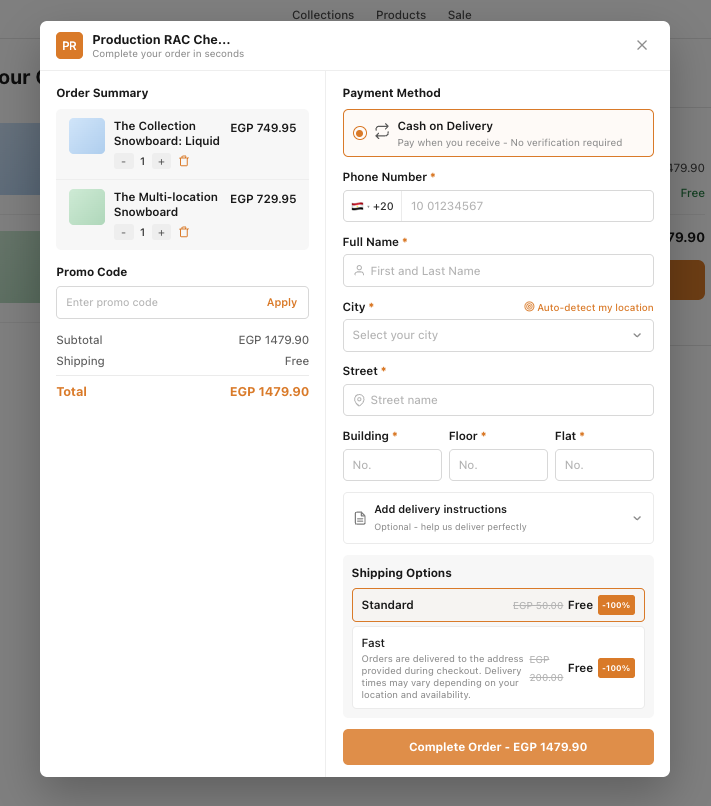
Section titled “And on desktop”On larger screens the page splits into two columns — order summary on the left, payment and address details on the right — finishing with a single, full-width Complete Order button that shows the live total.
What the customer sees
Section titled “What the customer sees”Everything the customer needs to place a COD order lives on one page:
- Phone Number — country flag and dial code are auto-detected from the customer’s IP.
- Full Name — a single field, not separate first/last.
- Auto-detect my location — a tap-to-fill link next to the City field that uses device GPS to populate city, street, and building details when the customer grants permission.
- City — a dropdown of supported cities if the customer declines geolocation.
- Street and Building / Floor / Flat — three short columns, not a long free-text address.
- Add delivery instructions — an optional accordion the customer can expand if they need to leave a note for the courier.
- Payment Method — Cash on Delivery is preselected with the copy “Pay when you receive – No verification required.”
- Shipping Options — Standard and Fast, each priced by the merchant; free-shipping promotions show a strikethrough price and a −100% badge.
- Complete Order — a single brand-coloured button at the bottom that always shows the live total.
Auto-detect location
Section titled “Auto-detect location”The City row has an Auto-detect my location link. The customer taps it, grants the browser location permission, and Cartsaver pre-fills the city — and, where the geocoder can resolve it, the street and building details too. If the customer declines permission or geolocation fails, the flow falls back to the city dropdown. No typing required for repeat shoppers in supported cities.
Cash on Delivery, preselected
Section titled “Cash on Delivery, preselected”Fast Checkout leads with COD as the default payment method. The chosen-method card reads “Pay when you receive – No verification required” — written to reassure first-time COD buyers who have been burned by stores that asked them to pay online “to confirm.” Online payment can sit alongside COD or stay hidden entirely, depending on how the store is set up.
Customize the look
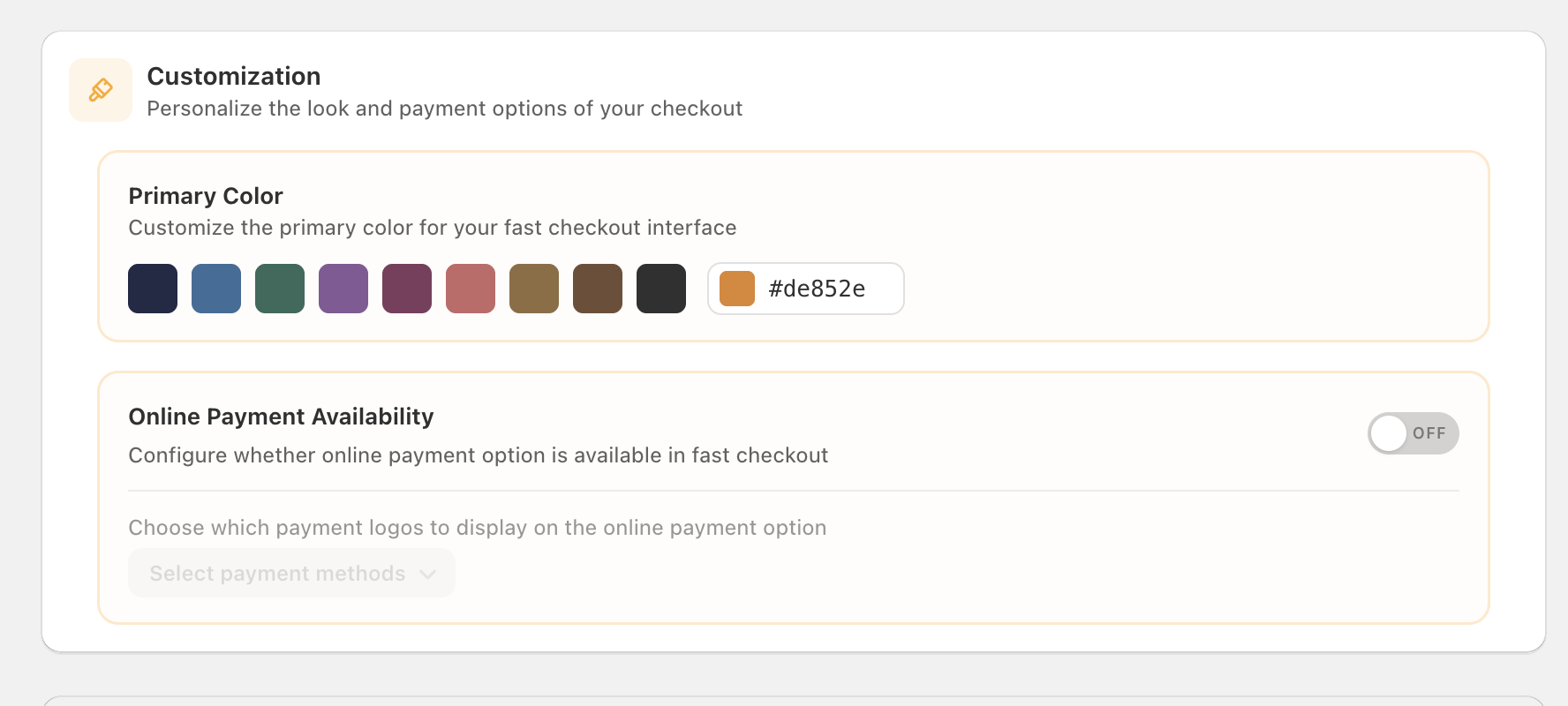
Section titled “Customize the look”Cartsaver lets you brand Fast Checkout to match the rest of your storefront — your primary colour drives the Complete Order button, the selected payment-method highlight, and the Auto-detect link. Pick from preset swatches or paste a hex code. Card payments can sit alongside COD if your store accepts them, and you choose which payment-method logos appear under that option.
Combine with WhatsApp Order Confirmation
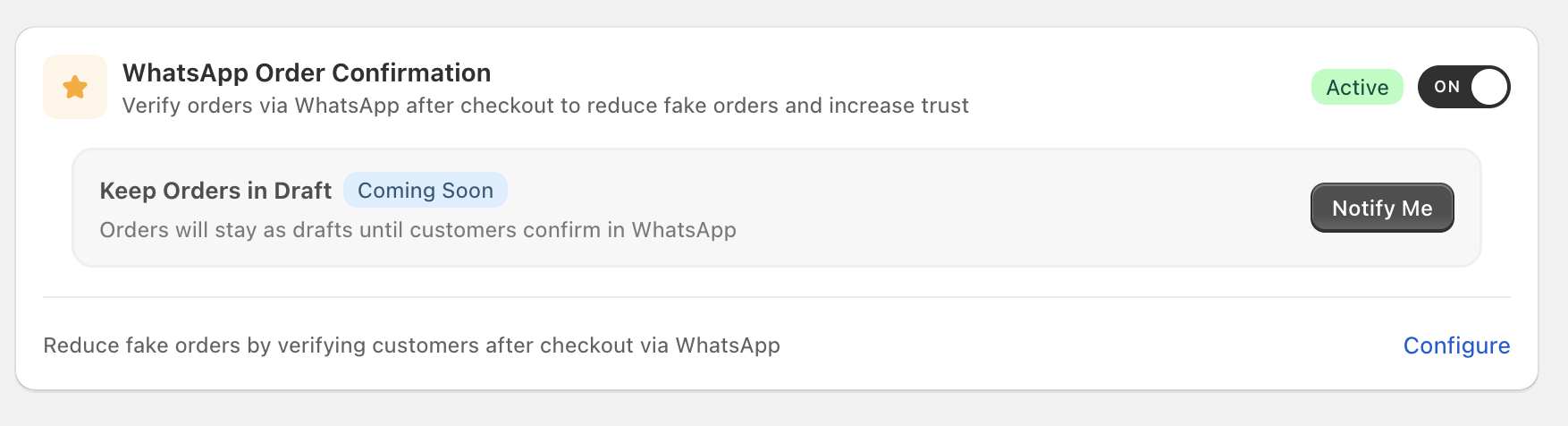
Section titled “Combine with WhatsApp Order Confirmation”Fast Checkout pairs naturally with WhatsApp Order Confirmation. The moment the customer taps Complete Order on Fast Checkout, Cartsaver fires the WhatsApp confirmation flow — the customer taps Confirm in WhatsApp, the order moves to Verified, and your team ships it. One Cartsaver-hosted checkout, one Cartsaver-managed verification, one Shopify order.
Languages
Section titled “Languages”Fast Checkout renders in Arabic, English, Hindi, or Urdu based on the customer’s storefront language, with a fallback to your store’s default. Country detection drives the default phone country code automatically.
Pairs with
Section titled “Pairs with”- WhatsApp Order Confirmation — the post-checkout verification step that turns a tapped Complete Order into a Verified Shopify order.
- Pre-checkout OTP — a different feature. Pre-checkout verifies the customer’s phone before they reach checkout via a storefront block; Fast Checkout is the checkout itself.
- Order Notifications — keeps the customer informed once the order is placed and confirmed.