
WhatsApp Order Confirmation
Have every Cash on Delivery order confirmed by your customer over WhatsApp before you fulfill it. Choose to send the confirmation message immediately, or delay it by up to 48 hours so you only disturb customers who are actually going through with the order.
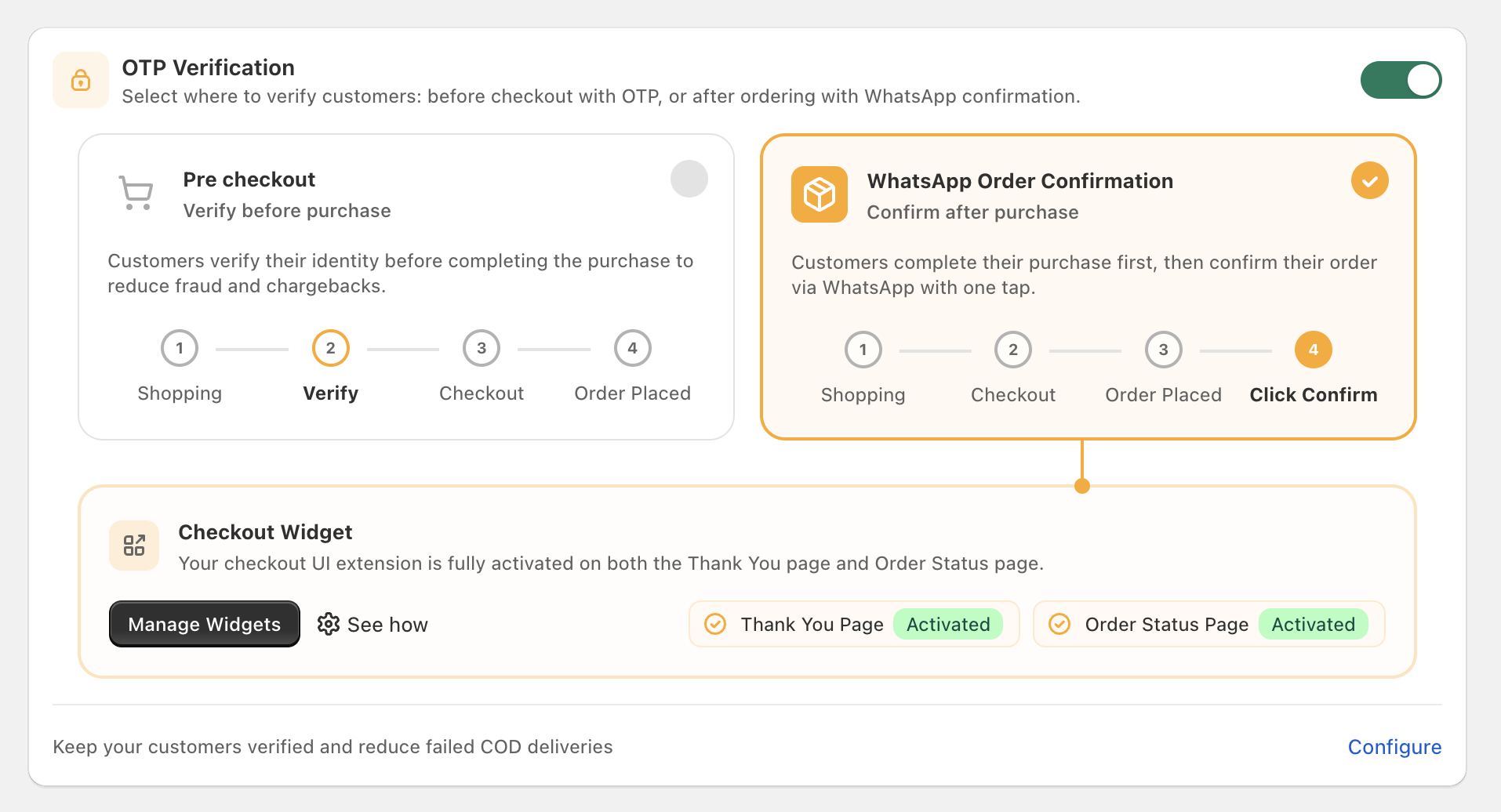
Cartsaver picks WhatsApp Order Confirmation as the default OTP verification mode for COD-heavy stores — the screenshot below shows the chooser that surfaces it:
How it works
Section titled “How it works”- The customer completes checkout in Shopify.
- The order is created in Shopify in an Unverified state.
- Cartsaver sends a WhatsApp message asking the customer to confirm the order with one tap.
- Once the customer confirms, the order moves to Verified in Shopify and is released for fulfillment.
Confirmation Message Delay
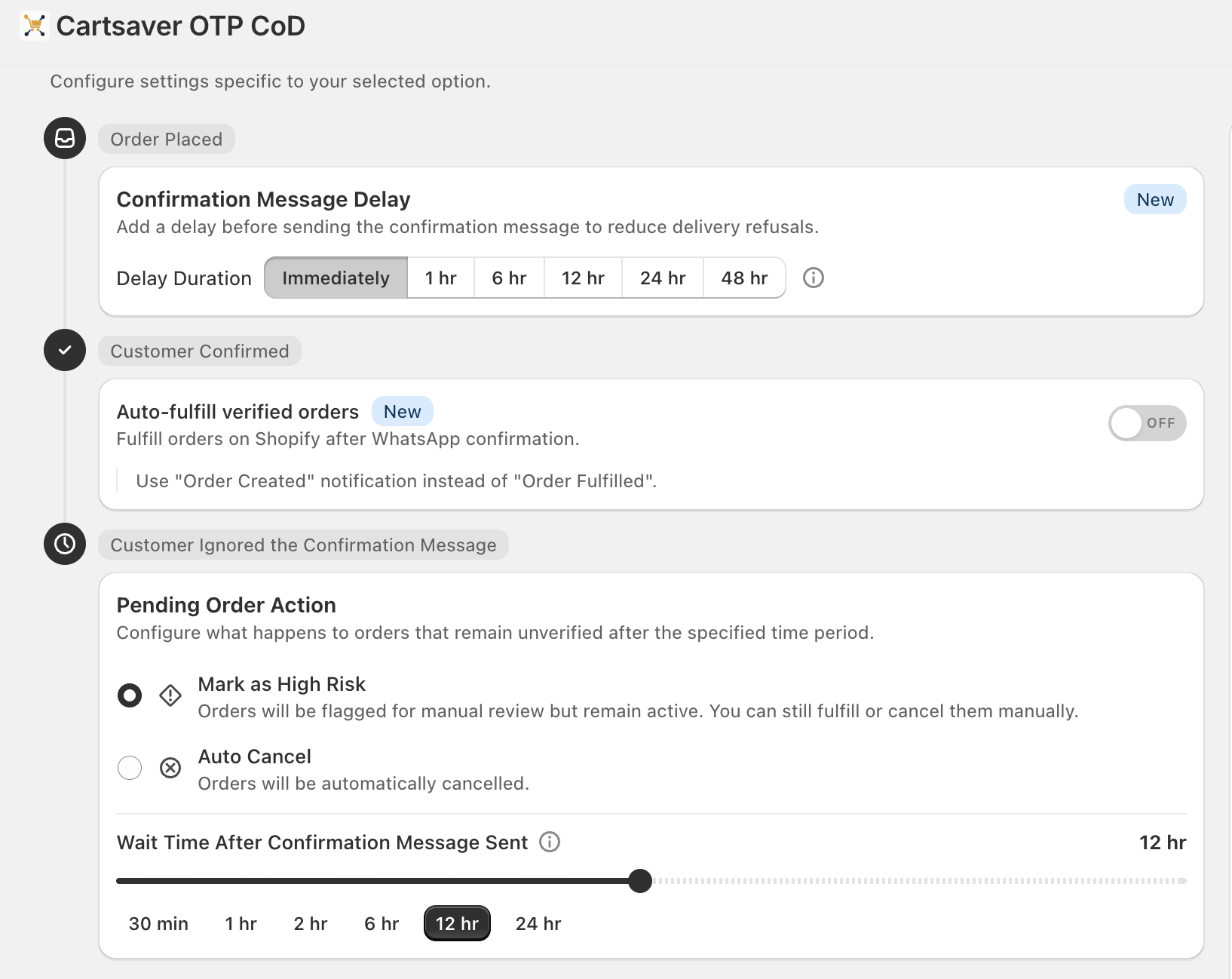
Section titled “Confirmation Message Delay”The signature setting: rather than sending the WhatsApp confirmation the moment the customer checks out, you can delay it by a configurable amount of time. The delay selector offers six presets — Immediately, 1 hr, 6 hr, 12 hr, 24 hr, and 48 hr.
| Delay | Use it when |
|---|---|
| Immediately | Real-time confirmation. Best for stores that ship same-day. |
| 1–6 hours | Quick batched fulfillment cadence. |
| 12 hours | End-of-day batch fulfillment. |
| 24 hours | Next-day fulfillment cycle. |
| 48 hours | Maximum delay; absorbs the full customer-regret window. |
The order is held in Shopify as Unverified until the delay elapses, at which point Cartsaver sends the WhatsApp confirmation message.
Auto-fulfill verified orders
Section titled “Auto-fulfill verified orders”When the customer confirms, Cartsaver can auto-fulfill the order in Shopify immediately rather than waiting for a human to click fulfill. With auto-fulfill on, verified orders release for shipping the moment the customer taps Confirm.
Pending Order Action
Section titled “Pending Order Action”What happens when the customer ignores the WhatsApp confirmation message? Two options:
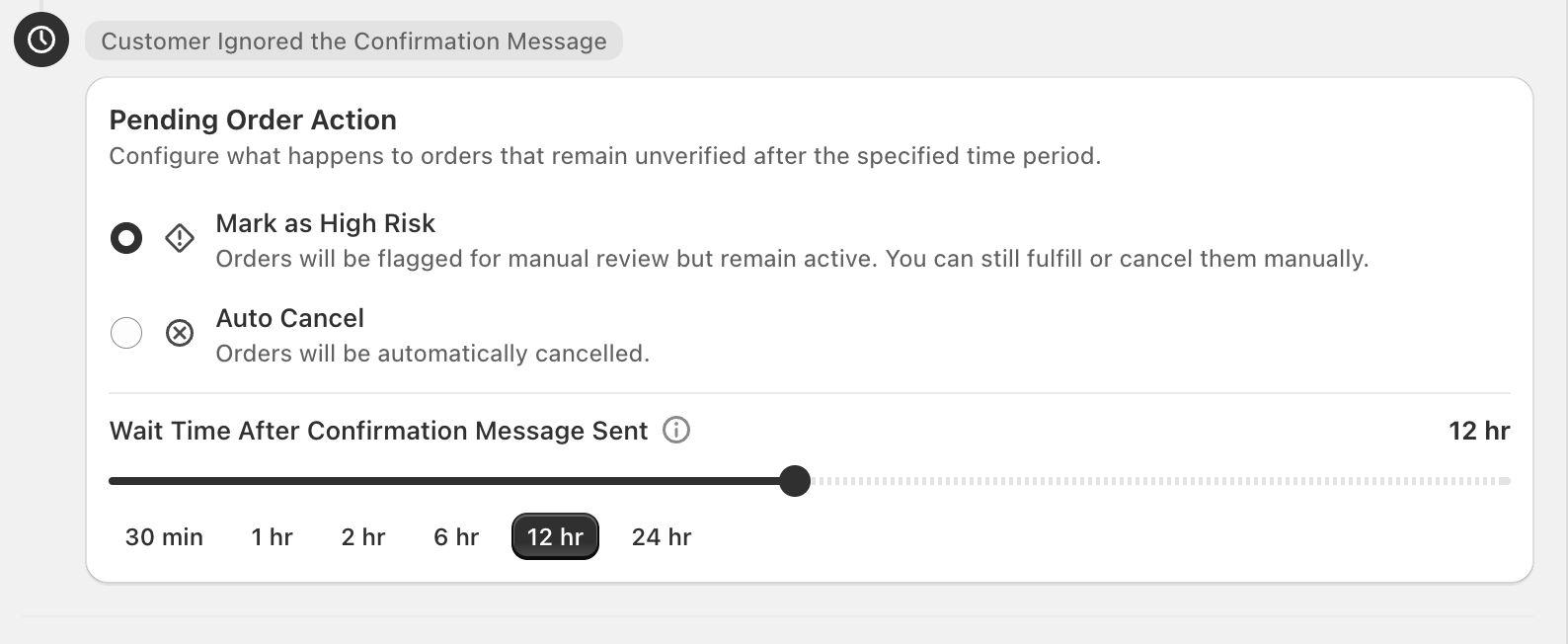
- Mark as High Risk (default) — the order stays active in Shopify but is flagged for manual review. You can still fulfill or cancel it yourself.
- Auto Cancel — Shopify cancels the order automatically after the wait time elapses.
The Wait Time After Confirmation Message Sent slider controls how long Cartsaver waits before taking that action. The preset values are 30 min, 1 hr, 2 hr, 6 hr, 12 hr, and 24 hr. Cartsaver’s recommended setting is 12 hours — long enough that real customers come back to confirm, short enough that genuinely abandoned orders don’t sit in your queue.
Additional info
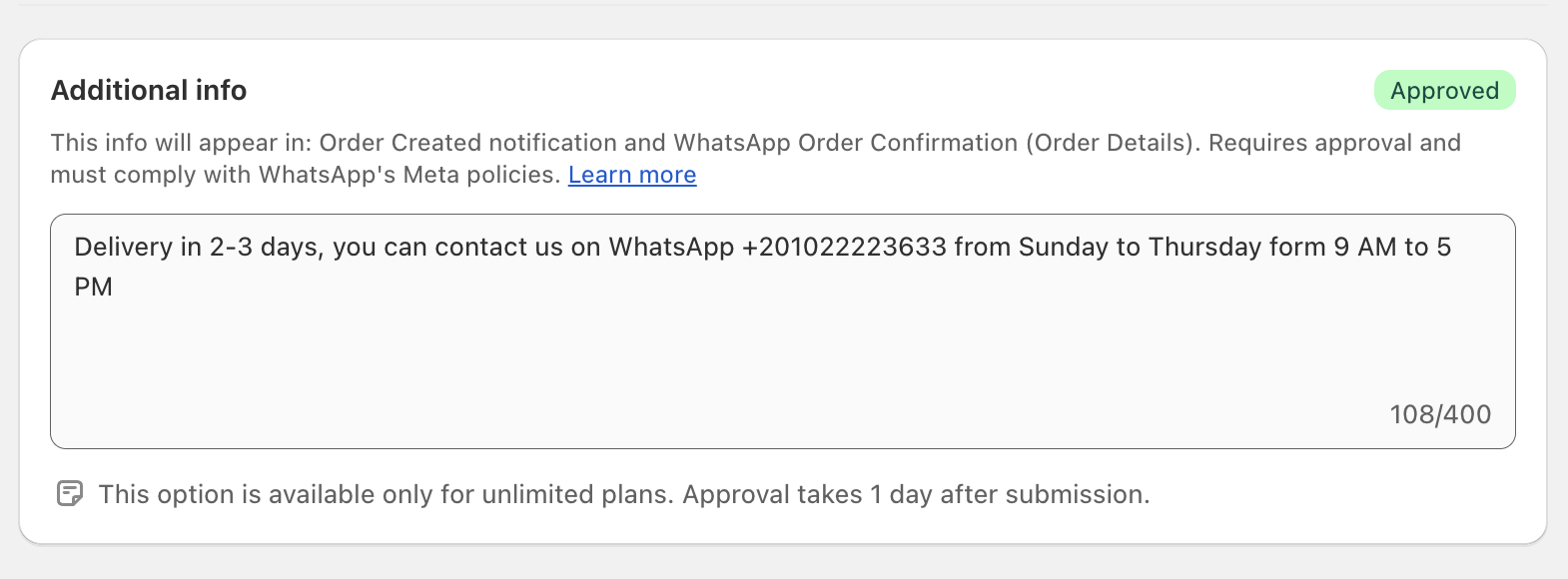
Section titled “Additional info”You can append a short merchant-defined blurb to the bottom of the order-confirmation message — for example, your support hours or delivery ETA. The “Additional info” template is shared with the Order Created notification and is capped at 400 characters.
Channels
Section titled “Channels”The order-confirmation flow sends on WhatsApp or SMS. Configure the channel in OTP channels.
Languages
Section titled “Languages”Every WhatsApp or SMS message is sent in the customer’s checkout language — Arabic or English (plus Hindi and Urdu where applicable). The language is captured during checkout and stored on the order; if Cartsaver doesn’t have a template for that locale, it falls back to the store’s default language.
Pairs with
Section titled “Pairs with”- Fast Checkout — the Cartsaver-hosted single-page checkout for COD. Use Fast Checkout to capture the order and WhatsApp Order Confirmation to verify it.
- Order Notifications — sends “Order confirmed” / “Shipped” / “Cancelled” follow-ups once the order is Verified.
- Cross-sell — product recommendations arrive in the same WhatsApp thread.
- Order Inquiry — customers can ask questions about their confirmed order on the same number.